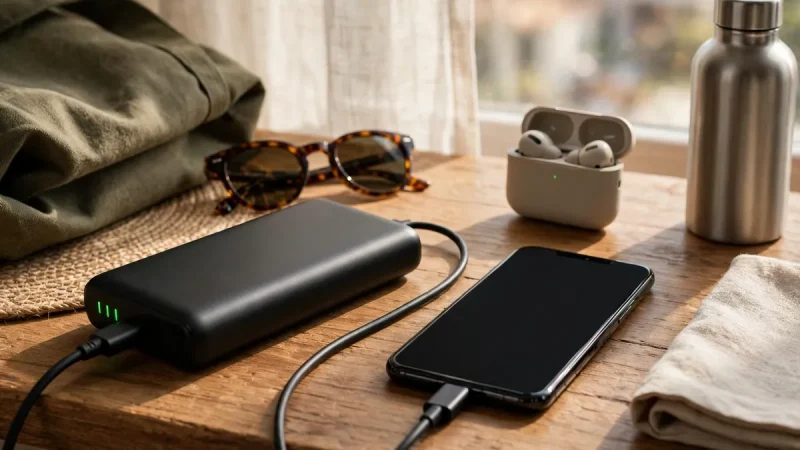

How to Choose a Power Bank: Capacity, Speed and Safety Explained
Your phone hits 9% at the worst possible moment. Sound familiar? Maybe you are on a train, at a festival, or halfway through a long drive with maps running. In that moment, a good power bank feels less like an accessory and more like a rescue plan.
Choosing one sounds simple at first. However, the boxes shout big numbers, fast claims, and confusing letters at you. So how do you know how to choose a power bank that actually fits your life? This guide walks you through each check, step by step, in plain language.
Think of this article as your power bank buying guide checklist. You will work through capacity first, then speed, then safety, and finally size. By the end, you will know exactly which specs matter for you. Best of all, you will not need any brand names or price tags to decide well.
Start with how you actually use your phone
Before you read a single spec, look at your own routine. Do you top up once during a long commute? Or do you spend whole weekends away from a wall socket? Your answer changes everything about the right size and speed for you.
For example, a student moving between classes needs something light and quick. In contrast, a photographer on a road trip needs far more stored energy. Neither person needs the same bank, even though both carry a phone. Honest self-knowledge beats the biggest number on the shelf every time.
Travel days deserve special thought here. Long flights, airport delays, and navigation apps drain batteries surprisingly fast. If that sounds like your trips, pair this guide with our picks for the best travel apps for your next trip and plan power for both.
What does mAh mean in power bank terms?
You have probably asked this question in a shop: what does mAh mean in power bank listings, really? The letters stand for milliamp hours. In simple words, mAh describes how much electric charge a battery can hold. A bigger mAh number means a bigger fuel tank.
Imagine two water bottles for a hike. One holds half a litre, and the other holds a full litre. The larger bottle does not pour faster, yet it lasts longer. mAh works the same way. It tells you about endurance, not about charging speed.
Your phone has its own battery size, also measured in mAh. Many modern phones sit roughly between 4,000mAh and 5,000mAh. So, in theory, a 10,000mAh bank holds about twice the charge of one phone battery. Reality is a little kinder and a little messier, as the next sections show.
Real capacity vs advertised capacity
Here is the honest truth that many buyers miss: real capacity vs advertised capacity are never quite the same. The number printed on the box describes the internal cells. Your phone, however, receives energy after conversion losses and heat take their share.
Why does this gap happen? A power bank stores power at one voltage and delivers it at another. That conversion wastes some energy as warmth. Cables waste a little more, especially thin or worn ones. As a result, you might receive roughly two-thirds to three-quarters of the printed figure in daily use.
So plan with a buffer. If you need two full phone charges, do not buy a bank that promises exactly two on paper. Instead, step up one size. That small habit prevents the classic disappointment of a bank dying at 80% on your second charge.
How many mAh power bank do I need?
Now for the question every buyer asks: how many mAh power bank do I need for my routine? Start with your phone battery size. Then decide how many full charges you want in reserve. Finally, add a buffer for the conversion losses you just read about.
Here is a simple worked example. Suppose your phone battery holds 4,500mAh, and you want two full charges away from home. Two charges need 9,000mAh of delivered energy. Because losses eat into the stored figure, a 10,000mAh bank feels tight. A 20,000mAh bank, in contrast, handles that goal with room to spare.
Light users often need far less. If you only rescue your phone once on busy days, a slim 5,000mAh or 10,000mAh bank suits you well. Heavy users, tablet owners, and families sharing one bank should look higher. The checklist question is never about the biggest number. It is always about your number.
10000mAh vs 20000mAh how many charges can you expect?
The classic shelf debate is 10000mah vs 20000mah how many charges each size really gives you. Let us run the maths with a typical 4,500mAh phone and realistic losses. The table below keeps the estimates deliberately conservative, so your real results should match or beat them.
| Bank size | Usable energy (rough) | Full charges for a 4,500mAh phone | Best fit |
|---|---|---|---|
| 10,000mAh | About 6,500mAh delivered | About 1.4 charges | Daily top-ups and short days out |
| 20,000mAh | About 13,000mAh delivered | About 2.8 charges | Weekends, travel, and sharing |
Read the table as a guide, not a promise. Your phone model, screen brightness, and signal strength all shift the result slightly. Still, the pattern stays clear. Doubling the bank size roughly doubles your charges, and it also roughly doubles the weight in your bag.
Ask yourself one practical question here. Will you carry this bank daily, or only on trips? Daily carriers usually love the smaller size after a week. Trip-only buyers rarely regret the larger one. Your bag, honestly, casts the deciding vote.
Power bank wattage explained USB PD basics
Capacity tells you how long a bank lasts. Wattage tells you how fast it works. This section gives you power bank wattage explained usb pd basics without the engineering lecture. Watts simply combine voltage and current, and higher watts usually mean faster charging for devices that support it.
Think back to the water bottle idea. mAh was the size of the bottle. Watts, in contrast, describe the width of the opening. A wide opening fills your glass quickly. A narrow opening takes ages, even from a huge bottle. You need both numbers to judge a bank properly.
Old basic charging crawled along at low wattage. Modern fast standards push far more power safely, because the device and the bank negotiate first. That negotiation matters a lot. Without it, even a powerful bank slows down to protect your phone battery.
USB C power delivery explained simply
Let us keep usb c power delivery explained simply, because the idea is genuinely simple. USB Power Delivery, or USB PD, is a shared language for fast charging over a USB-C cable. Your phone or laptop tells the bank how much power it can accept. The bank then delivers exactly that amount, no more and no less.
Because both sides agree first, charging stays fast and controlled. You also get one cable style for phones, tablets, and many laptops. That simplicity is a real travel gift. Fewer cables mean fewer tangles and fewer forgotten chargers at home.
Check two things for PD to work. First, your device must support USB PD or a compatible fast standard. Second, your cable must be a proper USB-C cable in good condition. A damaged cable quietly kills your speed, even with an excellent bank.
Fast charging power bank what to check before you buy?
So you want speed. Under the heading fast charging power bank what to check, three items matter most. First, check the output wattage printed for a single port. Second, check whether your phone supports that fast standard. Third, check how the wattage splits when you plug in two devices at once.
That third point surprises many buyers. A bank may promise high total output, yet share it across ports. Plug in a second phone, and each device may charge far more slowly. If you often charge with a partner or friend, per-port figures matter more than headline figures.
Your other gadgets count here too. Earbuds sip power gently, while tablets drink deeply. Even noise canceling headphones and foldables like the ones in our guide to Samsung foldable phones benefit from a bank that matches their charging needs.
Power bank for laptop charging watts needed for real work?
Phones are forgiving. Laptops are not. When you research power bank for laptop charging watts needed, you will see much higher numbers than phone charging requires. Many slim laptops need around 45W to 65W over USB-C to charge while you work. Smaller or older models may accept less, yet they often charge slowly or only while asleep.
Try this practical test before you buy. Find your laptop charger and read its wattage. Your power bank should match or come close to that figure for smooth charging. If the bank offers far less, your laptop may hold its charge rather than gain any. That still helps on a train, although it disappoints anyone expecting a full refill.
Capacity matters doubly for laptops. A laptop battery is much larger than a phone battery, so a small bank disappears quickly. If laptop charging is your main goal, favour a high-capacity, high-wattage model. Then accept the extra weight as the honest price of that power.
How to calculate watt hours from mAh?
Watt hours, written as Wh, give you the truest measure of stored energy. Airlines use Wh, and so should you when comparing different devices. Luckily, how to calculate watt hours from mah takes one short formula. You multiply the mAh by the voltage, then divide by 1,000.
Here is the formula in plain form: Wh = (mAh × V) ÷ 1,000. Most power bank cells use a nominal voltage of 3.7V. So a 10,000mAh bank gives you 10,000 × 3.7 ÷ 1,000, which equals 37Wh. A 20,000mAh bank at the same voltage equals 74Wh.
Let us check the maths together once more. Take 20,000, multiply by 3.7, and you get 74,000. Divide by 1,000, and you land on 74Wh exactly. Easy, right? Keep this formula in your phone notes. It settles airline questions and comparison debates in seconds.
Power bank airline limit watt hours rules to know
Flying soon? Then the power bank airline limit watt hours rule deserves your attention before you pack. As a general rule, airlines allow power banks in carry-on luggage up to about 100Wh without special approval. Banks between roughly 100Wh and 160Wh often need airline permission. Above that range, airlines usually refuse them completely.
Two habits keep you safe at the airport. First, always carry power banks in your hand luggage, never in checked bags. Second, check your airline and its current rules before you fly, because details vary. Your 20,000mAh example above sits at 74Wh, so it usually clears the common limit comfortably.
Visible labels help you at security too. If the Wh figure is worn off your bank, staff may hold it for checks. A clearly labelled bank moves through screening faster. Small detail, big sigh of relief at a busy airport.
Input speed power bank recharging time explained
Most buyers study output speed and forget the other direction. Input speed power bank recharging time describes how fast the bank itself refills from a wall charger. A huge bank with slow input can take most of a day to recharge. That delay hurts badly between back-to-back travel days.
Look for the input wattage and the port type on the spec sheet. A USB-C input with fast charging support refills a mid-size bank in a few hours. An old slow input on a 20,000mAh bank, in contrast, may need overnight and then some. Neither is wrong, yet one fits busy lives far better.
Here is a simple routine that works well. Charge your bank the moment you get home, not the morning you leave. Then it is always ready when a plan changes suddenly. Smart habits, honestly, rescue more trips than smart specs do.
Wireless power bank pros and cons
Cables annoy everyone, so wireless models tempt many buyers. Weighing wireless power bank pros and cons honestly helps you choose. On the plus side, you just place your phone on the pad and charging begins. Magnetic models snap into place, which feels brilliant on a train table or cafe counter.
The downsides deserve equal honesty. Wireless charging usually runs slower than a good cable. It also wastes more energy as heat, so your usable capacity shrinks. Your phone must support wireless charging too, and a thick case can block the connection entirely.
Who should pick wireless, then? Choose it if convenience rules your day and you top up in short bursts. Choose a wired bank if you value speed, efficiency, and cooler charging. Many travellers carry a wired bank and enjoy wireless pads at home. Balance, as usual, wins.
Power bank weight and size tradeoff
Every extra milliamp hour adds grams. That simple fact drives the power bank weight and size tradeoff you feel in your pocket and bag. A slim 5,000mAh bank slips into a jeans pocket and disappears. A 20,000mAh brick feels obvious in a small handbag within the hour.
Think about where the bank will live. Will it ride in a jacket pocket on dog walks? Or will it sit in a backpack beside a laptop and camera gear? Creators carrying kit like the Sony a6700 camera or the Insta360 GO 3 action camera already haul weight, so every gram counts.
A useful rule is to buy for your common day, not your rare day. You can always borrow, rent, or recharge on the rare heavy day. Daily comfort, in contrast, pays you back every single morning. Your shoulders will vote yes on this one.
Power bank safety features to look for
Safety is the section nobody should skim. Batteries store serious energy, so power bank safety features to look for should sit high on your checklist. Start with overcharge protection, which stops power flowing once your device is full. Add short-circuit protection, which cuts power instantly if something goes wrong.
Temperature control matters just as much. A good bank watches its own heat and slows down or stops if it gets too warm. Surge protection guards against sudden spikes from a faulty wall charger. Together, these quiet systems protect your phone, your bank, and your home.
Your own habits complete the safety picture. Keep your bank away from water, direct heat, and heavy crushing weight. Stop using any bank that swells, smells odd, or gets painfully hot. A swollen battery is a clear warning sign, never a quirk to ignore. Retire it through a proper battery recycling point in your area.
Smart homes teach the same lesson, by the way. The gadgets in our roundup of innovative smart home devices all rely on quiet safety systems working in the background. Your power bank deserves exactly the same respect.
Ports, cables and everyday details that matter
Beyond the headline numbers, small details shape daily happiness. Count the ports first. One port suits solo phone users perfectly. Two or three ports help couples, families, and anyone carrying a tablet as well. Then check the port mix, because USB-C now handles most modern devices.
Built-in cables split opinions neatly. Fans love the tidy, nothing-to-forget design. Critics note that a broken built-in cable can retire the whole bank early. Neither side is wrong. Your own track record with cables should guide this call.
Battery indicator lights sound boring, yet they prevent nasty surprises. Four small lights, for example, show rough quarters of remaining charge. A small percentage display is even clearer. Either way, you should know your reserve before you leave home, not after your phone dies.
Pass-through charging is one more handy detail. It lets the bank charge your phone while the bank itself charges from the wall. Hotels with one free socket make this feature feel like magic. Meanwhile, an assistant like the one in our piece on an AI app that could replace your personal assistant can remind you to pack it all.
Mistakes to avoid buying power bank models blindly
Let us finish the checklist with the mistakes to avoid buying power bank models in a hurry. The first mistake is chasing the biggest mAh number without checking weight. The second is ignoring wattage, then wondering why fast charging never feels fast. Both mistakes come from reading only one line of the spec sheet.
Another common slip is trusting unbelievable capacity claims from unknown sellers. If a tiny, feather-light bank claims enormous capacity, physics disagrees politely. Real cells have real size and weight. Sensible claims from clear spec sheets deserve your trust far more.
Skipping the airline check is a classic travel error too. So is buying a laptop bank with phone-level wattage. Finally, many people forget input speed and face a half-empty bank on departure morning. Run this checklist once, and you dodge every one of these traps.
Your final checklist before you buy
Ready to decide? Run through these quick questions one last time. Does the capacity cover your phone charges plus a loss buffer? Is the wattage high enough for your phone or laptop needs? And will the bank refill fast enough for your routine?
- Capacity matches your devices and daily habits
- Output wattage supports your fastest device
- USB-C PD support if your phone or laptop uses it
- Watt hours stay within your airline limit for flights
- Input speed refills the bank overnight at worst
- Safety protections clearly listed by the maker
- Size and weight feel fine in your everyday bag
- Enough ports for the devices you carry
If a bank ticks every box, you have found your match. If it misses one box, decide whether that miss touches your daily life. A weekend camper and a daily commuter will answer differently, and both can be right. That is the whole secret of how to choose a power bank well.
Frequently asked questions
How long does a 10,000mAh power bank last?
It depends on your phone battery size and daily use. With a typical 4,500mAh phone, expect roughly one full charge plus a healthy top-up. Light users may stretch that across two days. Heavy users shooting video may finish it in one long day.
Can I take a 20,000mAh power bank on a plane?
Usually, yes, in your carry-on luggage. A 20,000mAh bank at 3.7V equals 74Wh, which sits below the common 100Wh guideline. Still, always check your airline rules before you fly. Keep the bank in hand luggage, never in a checked bag.
Does fast charging damage my phone battery?
Modern fast charging is designed with your battery in mind. Your phone and the bank negotiate a safe power level together. Heat is the bigger long-term enemy of batteries, so avoid charging under a pillow or in hot sunlight. Sensible habits protect your battery far more than slow charging does.
Why does my power bank give fewer charges than promised?
Conversion losses explain most of the gap. The bank changes voltage for your phone, and some energy escapes as heat. Cables and your phone own charging system add small losses too. This is exactly why real capacity always trails the advertised figure slightly.
How do I know if my laptop can charge from a power bank?
Check whether your laptop charges through a USB-C port first. Then compare your laptop charger wattage with the bank output. If the bank offers similar wattage over USB PD, charging should work. If the bank offers far less, expect slow charging or charge holding only.
How long does a power bank hold its charge when unused?
A healthy bank loses a small amount of charge over weeks and months. Store it partly charged, in a cool and dry place, for the longest life. Top it up every few months if you rarely use it. Then it will be ready on the one day you truly need it.